-
-
-
- Building blocks of the data model
- Basic concepts
- Classes
- Key fields
- Local lookup lists
- Fields and data types
- Defining the columns of a table
- Relations between classes
- Global lookup lists
- Filters
- Universal connected classes
- Deleting foreign records
- Class inheritance
- Storage of personal data on test and develop environment (scrambling)
-
- User interface versions
- Building blocks for user interface design
- Adding styles with a css
- Surrounding page
- Changing snippets
- Creating a custom login page (pre 3.4)
- Creating a custom login page
- Using velocity templates within the blueprint
- Create your own web pages
- HTML delivery requirements
- How to customize system mails
-
- Resource files
- Velocity - How does it work?
- Quick Velocity Tutorial
- Debugging velocity scripts
- Velocity Command Reference
- Script Editor Tutorial
- Using velocity for calculations
- Using predefined forms in a html design
- Velocity forms
- Data field identifiers
- Macros and methods
- Velocity library
- Velocity: using the #macro command
- velocity and xml
- Using AJAX in your velocity scripts
-
-
- Argon2 password conversion
- Introduction to security
- Secure development
- Security certification
- Security Exam
- Field properties concerning security
- Developing user groups securely
- Security considerations for user interface
- Secure file organization
- Securely using the request
- Cross Site Scripting (XSS)
- Other options concerning secure development
- Security analysis
- Secure deployment
- Secure application management
- Scrambling of testdata
- Anonymization of personal data
- Using robots.txt
- Permission settings
- Security measures
- Data encryption
-
- Search Engine Optimization
- OTP
- User Interface migration guide
- User account management
- Instructies voor implementatie van visueel editen van nieuwsbrieven
- Login as another user
- Support
- More information about moving to User Interface Version 4.0
- Standaard page layout
- Sections moved to layout
- Aanpassingen in release 2024-7
- Media library
- Aanpassingen in release 2024-10
- Analytics and Matomo
- Registration forms
- How to change names of classes and fields?
- Responsible Disclosure Policy
- How to upload a blob in Velocity?
- Aanpassingen in release 2024-2
- Instances
- Componenten in onze technologie
- Google Analytics
- Street and City helper (postcodecheck)
- Responsible disclosure-beleid
- Postcode check service (straat en huisnummer) kosten
- Expressions
- Regular Expression Reference
-
Lookup helpers
For most fields in your application, a static lookup or a foreign class are sufficent, but in case you have further needs, you can use a lookup helper. The next lookup helper types are available:
-
Classes
Provides a list with all classes in your running application.
-
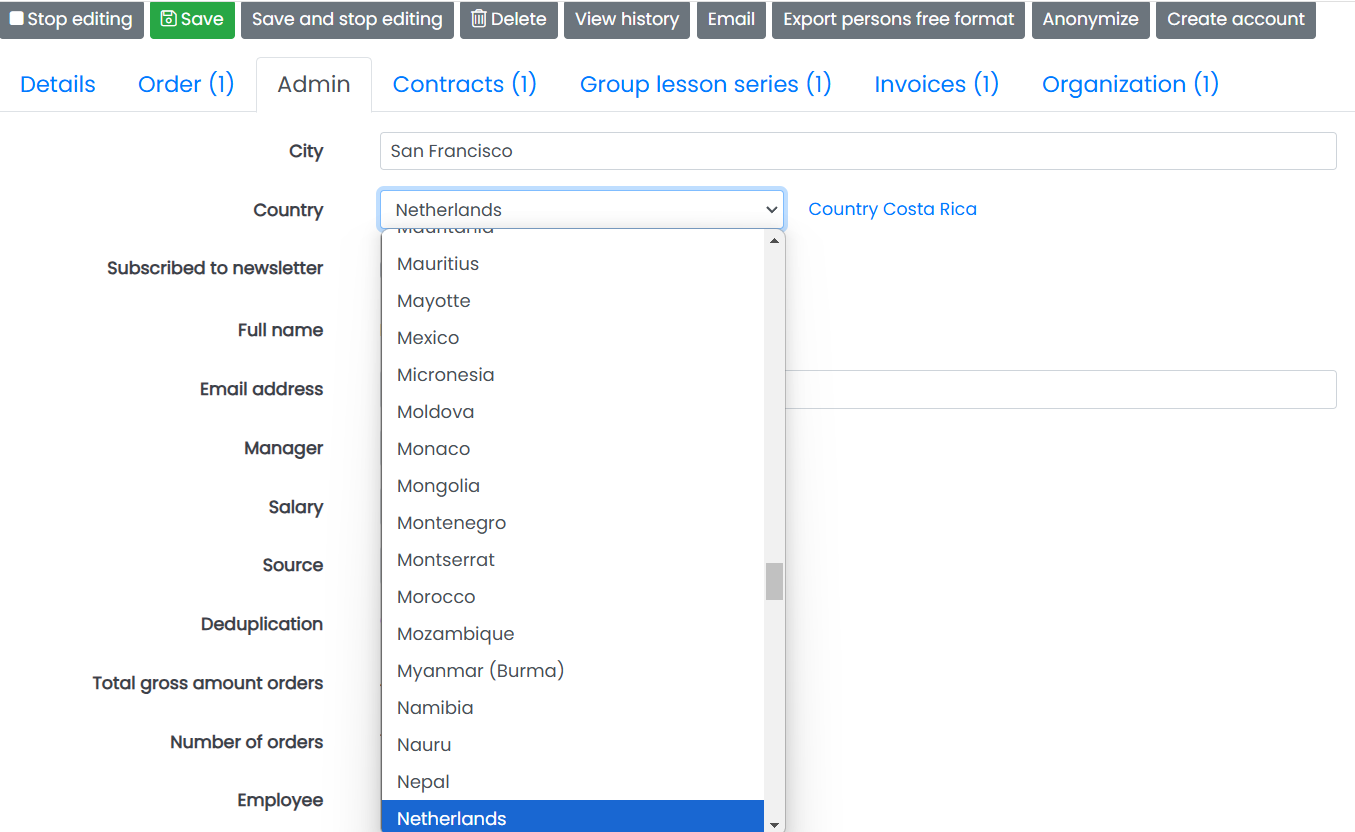
Countries (ISO 3166)
Provides a lookup list of 2-letter country codes and related labels, as defined in ISO 3166.
-
Fields
Provides a list with all fields in your running application.
-
Filters
Provides a list of all filters in your application with property "global" checked.
-
Forms
Provides a list of forms in your application.
-
JAVA plugin helper
A lookup list implemented in a JAVA class file. This option is not available yet for external developers. CrossmarX can program the lookup list in the meantime. If you want to develop the calculation your self, please use Velocity.
-
Languages (ISO 639)
Provides a lookup list of 2-letter country codes and related labels, as defined in ISO 639.
-
Lookup from foreign class
This helper creates variations on the default lookup for fields with a foreign class.
-
Lookup from multi-value field
Creates a lookup list with the values from a multi-value field.
-
Population
Creates a lookup list from all values that populates a field.
-
Queries
Provides a list with queries stored in the database. The list can contain all queries or only queries related to one class.
-
Script
This helper lets you implement a dynamic lookup list using a script.
-
Time zone lookup
-- description yet to come --
-
User groups
Creates a list of user groups
-
Velocity
The Velocity Lookup Helper allows you to create your own lookup list.
To select one of the helpers you go to the tab 'Properties' of the field details. Here you can choose a helper in the "helper" section from the drop down list or choose one by clicking the "select from a list with explanations"-button. After selecting a helper, it's parameters can be editted.
As an example, we can choose the standard country list for our field 'country'. The lookup helper countries (ISO 3166) provides a drop down list with all countries. See below for the result in our application: