-
-
-
- User interface versions
- Building blocks for user interface design
- Adding styles with a css
- Surrounding page
- Changing snippets
- Creating a custom login page (pre 3.4)
- Creating a custom login page
- Using velocity templates within the blueprint
- Create your own web pages
- HTML delivery requirements
- How to customize system mails
-
- Resource files
- Velocity - How does it work?
- Quick Velocity Tutorial
- Debugging velocity scripts
- Velocity Command Reference
- Script Editor Tutorial
- Using velocity for calculations
- Using predefined forms in a html design
- Velocity forms
- Data field identifiers
- Macros and methods
- Velocity library
- Velocity: using the #macro command
- velocity and xml
- Using AJAX in your velocity scripts
-
-
- Argon2 password conversion
- Introduction to security
- Secure development
- Security certification
- Security Exam
- Field properties concerning security
- Developing user groups securely
- Security considerations for user interface
- Secure file organization
- Securely using the request
- Cross Site Scripting (XSS)
- Other options concerning secure development
- Security analysis
- Secure deployment
- Secure application management
- Scrambling of testdata
- Anonymization of personal data
- Using robots.txt
- Permission settings
- Security measures
- Data encryption
-
- Search Engine Optimization
- OTP
- User Interface migration guide
- User account management
- Instructies voor implementatie van visueel editen van nieuwsbrieven
- Login as another user
- Support
- More information about moving to User Interface Version 4.0
- Standaard page layout
- Sections moved to layout
- Aanpassingen in release 2024-7
- Media library
- Aanpassingen in release 2024-10
- Analytics and Matomo
- Registration forms
- How to change names of classes and fields?
- Responsible Disclosure Policy
- How to upload a blob in Velocity?
- Aanpassingen in release 2024-2
- Instances
- Componenten in onze technologie
- Google Analytics
- Street and City helper (postcodecheck)
- Responsible disclosure-beleid
- Postcode check service (straat en huisnummer) kosten
- Expressions
- Regular Expression Reference
-
Sections moved to layout
Sorry to interrupt but the blueprint editor has been changed in a significant way as of today! The 'sections' tab of classes has been moved to a new blueprint component called 'layouts'. You can access the layouts of your class by clicking on the 'Layouts' button at the top of your class definition. Alternatively you can directly access the layouts through the Blueprint drop down menu.
More documentation about layouts.
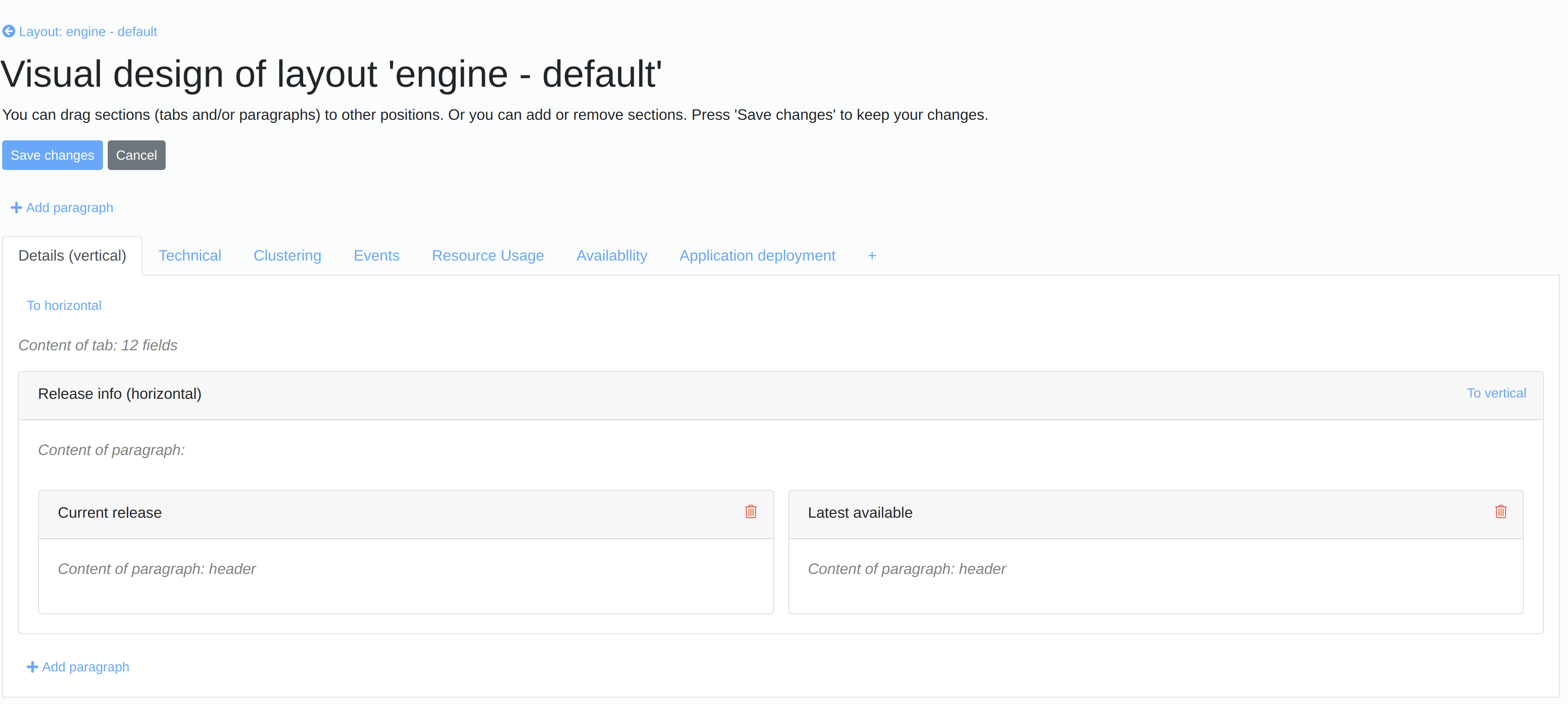
Visual drag and drop editor
Please try our new visual drag and drop editor to design your layouts! At the moment you can use it to create, order and align sections. In the near future you will also be able to add and position fields in the same interface as well as set a variety of properties.